 ultimate-guide
Can Street Performers Accept Cashless Tips? 2026 Guide
Table of Contents
- What Is a Digital Tip Jar?
- Digital Tip Jar vs Cash Box
- QR Codes, NFC and Card Readers Are Not the Same
- How to Set Up a Digital Tip Jar for Busking
- Payment Security and Supporter Trust
- Handling Connectivity Problems
- Fees, Payouts and Record-Keeping
- Digital Tipping for Duos, Bands and Groups
- How to Turn a Tip Into an Ongoing Connection
- Pros and Cons of a Digital Tip Jar
- Conclusion
- Frequently Asked Questions
What Is a Digital Tip Jar?
A digital tip jar gives an audience a way to support a performer without using notes or coins. Instead of dropping cash into a case, a supporter opens a secure checkout on their phone, chooses an amount and completes the payment using an available card or mobile-wallet option.
For a busker, the value is simple: someone who enjoyed the performance can still contribute even if they are not carrying cash.
The term “digital tip jar” can describe several different setups, including:
- A QR code linked to an artist’s support page
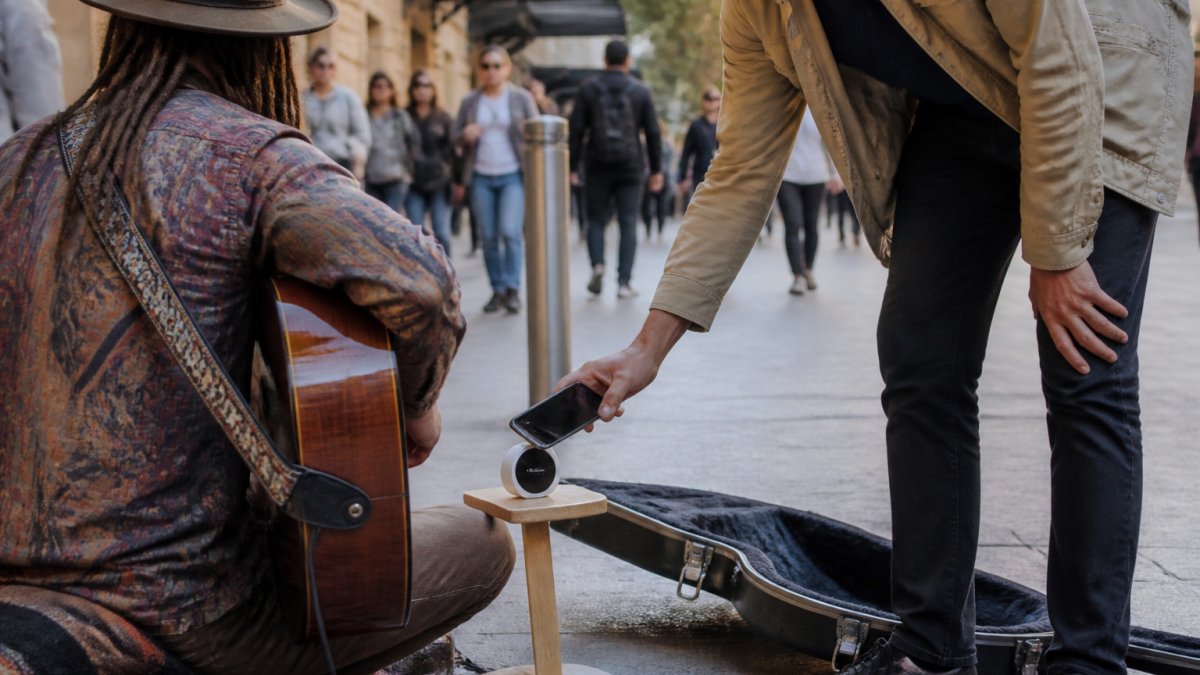
- An NFC display that opens the same page when tapped with a compatible phone
- A dedicated contactless card terminal
- A payment-app username or payment link
These methods can look similar from a distance, but the technology, costs and supporter experience are different. Choosing the right setup begins with understanding what each one actually does.
For a broader comparison of cashless support methods, read Best Ways to Collect Artist Tips in a Cashless World.
Digital Tip Jar vs Cash Box
A digital tip jar does not have to replace the traditional open case, hat or cash box. The two formats solve different problems and can sit comfortably beside each other.
Factor | Digital tip jar | Cash box or open case |
|---|---|---|
Supporter needs cash | No | Yes |
Internet connection | Required for online checkout | Not required |
Processing fees | Usually apply | No payment-processing fee |
Transaction record | Created automatically by the provider | Artist must record cash manually |
Physical cash handling | None | Cash must be counted, carried and secured |
Familiarity | Familiar to many phone users | Universally easy to understand |
Main risk | Connection failure, unclear link or payment decline | Loss, theft or miscounting |
Cash remains immediate and familiar. It also works regardless of phone battery, mobile reception or payment-provider availability.
Digital support reaches people who have no cash and creates a provider transaction record. It can also connect the supporter with the artist’s profile, music and upcoming appearances after the payment.
The practical approach for many performers is to keep accepting cash while adding one clearly presented digital option. The purpose is choice—not forcing every supporter through the same method.
QR Codes, NFC and Card Readers Are Not the Same
One of the most common mistakes in cashless-tipping content is treating every “tap” as a contactless card payment. That is not how every product works.
QR code
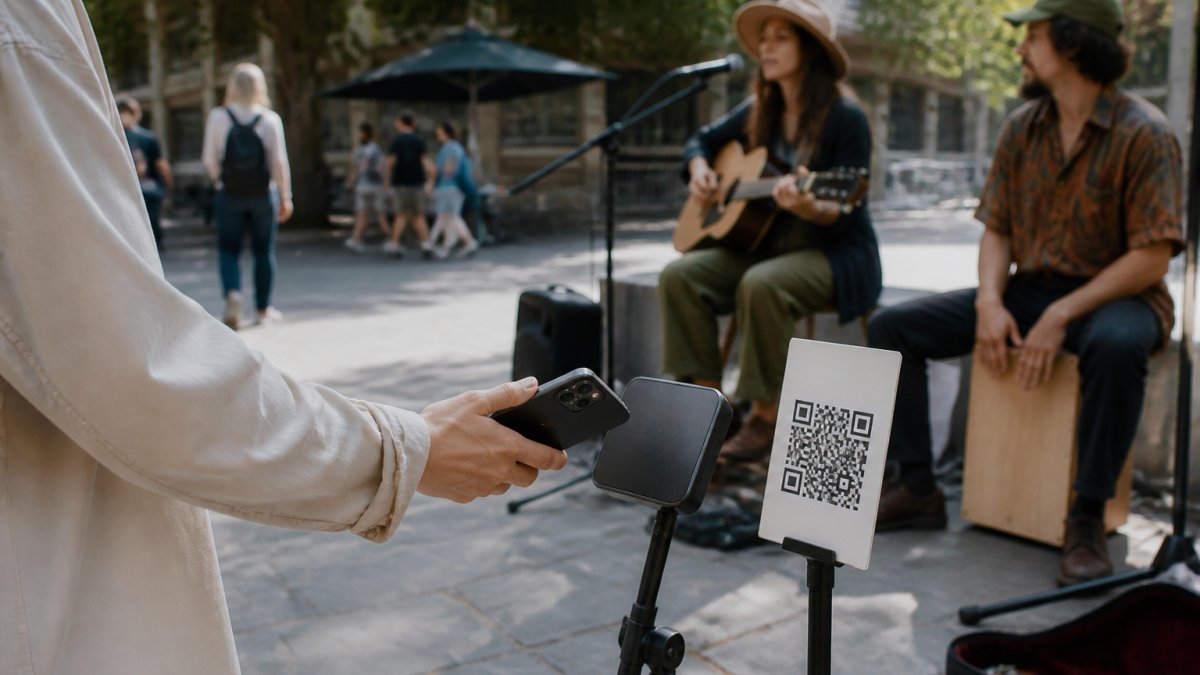
A QR code contains a link. The supporter scans it using a phone camera, and the linked support page opens in the browser. The supporter then selects an amount and pays using the methods available through that page.
The QR code itself does not process or store payment details.
NFC tap-to-open display
An NFC tap-to-open display also contains a link. A supporter holds a compatible smartphone near the NFC tag, and the phone opens the artist’s support page.
The supporter taps with their phone, not their bank card. The NFC tag is not a payment terminal and does not charge the supporter at the moment of contact. Payment is completed afterwards through the online checkout.
Halo Pulse uses this tap-to-open approach. It gives the support invitation a clear physical presence while leading to the same artist checkout as the accompanying QR code.
Contactless card terminal
A card terminal contains dedicated payment hardware. It allows someone to tap a contactless bank card, phone wallet or compatible wearable directly against the reader.
The terminal’s connectivity, charging requirements, offline capabilities and fees depend on its payment provider and configuration. Do not assume that every terminal can safely accept payments without a live connection.
How to Set Up a Digital Tip Jar for Busking
A useful street setup needs more than a working payment link. It also needs a recognisable artist, a stable destination, a tested payment connection and a display that makes sense immediately.
1. Choose one clear support destination
The supporter should arrive at a page that clearly identifies the artist and presents the next action without a search or app download.
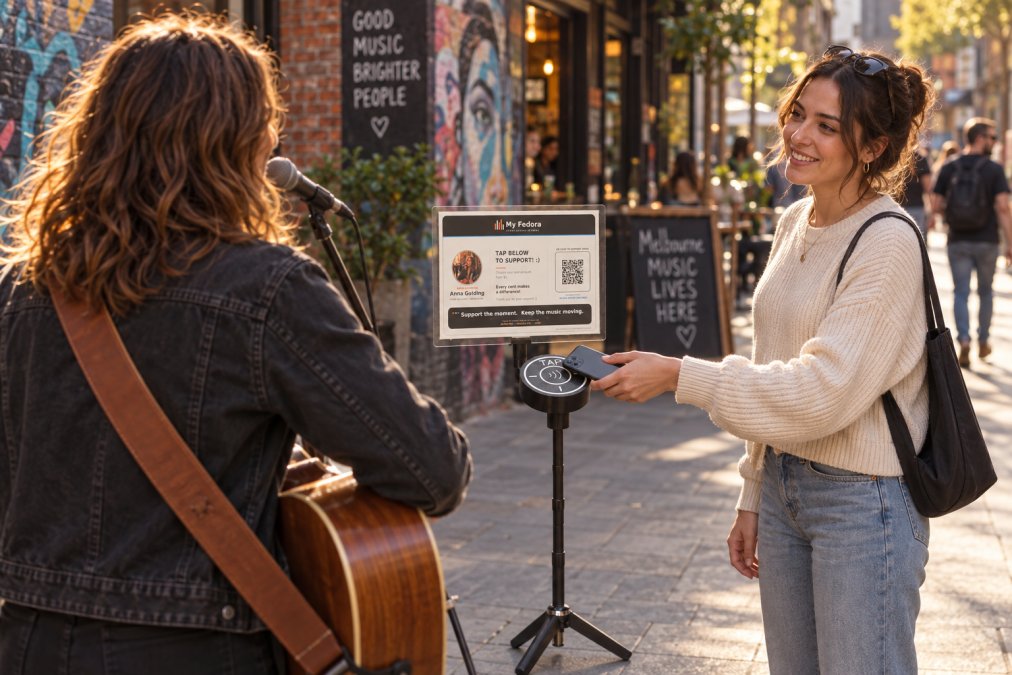
My Fedora gives street artists a free profile and free personalised QR code. The support journey and public artist profile work together, allowing people to support the performer and discover their story, music, social links and appearances.
Artists can create a free profile and download their free QR code here.
2. Connect the payment provider
The artist must connect an eligible payment provider and complete any onboarding or identity-verification requirements. Available providers and payment methods vary by country.
Creating a profile or printing a QR code does not, by itself, complete the payment setup. Confirm that the connected provider account is active and that the nominated payout account is correct.
3. Configure useful support amounts
A small selection of preset amounts makes the checkout quick to understand. A custom option gives supporters freedom to choose another amount.
Keep button labels brief and appropriate to the performance. If the platform allows street-shop items—such as a physical CD or shirt—make sure the wording distinguishes a purchase from a voluntary support payment.
4. Create the QR and NFC access points
Download the artist’s official QR code and place it on a clean, high-contrast poster or sign. Test the printed version at the distance and under the lighting in which it will actually be used.
If using an NFC display, program it with the artist’s stable support link rather than a URL that could break after a username change. Place a QR code alongside it as a visible alternative.
5. Test the complete journey
Opening the correct page is only the first half of the test. Complete a small real payment and confirm the entire flow:
- The QR scan and NFC tap open the intended artist’s checkout.
- The artist’s name, amounts and button labels are correct.
- The available payment method completes successfully.
- The payment appears in the correct connected provider account.
- The confirmation and any receipt behave as expected.
Test on more than one compatible phone when possible. Repeat the process after changing the artist’s payment connection or support-page configuration.
6. Position the display for the street
Put the display where a supporter can comfortably reach it with a phone without crouching, stepping over instruments or entering the performance area.
Use a short instruction such as “Tap or scan to support” and show the artist’s name clearly. Avoid surrounding the QR code with several competing payment handles or lengthy instructions.
A stable, low-glare display is easier to use than a loose sheet lying flat inside a case. Check it periodically during the performance to make sure it remains visible and has not moved.
Payment Security and Supporter Trust
The payment provider—not the NFC tag or QR image—should handle sensitive payment information.
With My Fedora, each payment-enabled artist connects their own supported provider account. My Fedora creates the checkout for that artist, while the connected provider processes the payment and pays funds to the bank account nominated by the artist. My Fedora does not pool artists’ support money in its own merchant account and does not store complete card or bank-account details. The relationship is explained in My Fedora’s Payments, Fees & Refunds policy.
Performers can support trust by following a few basic practices:
- Use the official QR code and stable support link supplied for the artist.
- Confirm that the checkout uses HTTPS and displays the correct domain.
- Never ask a supporter to send card details by message or email.
- Inspect printed signs regularly in case another sticker has been placed over the genuine QR code.
- Explain that tapping Halo Pulse opens a checkout; it does not charge a card on contact.
- Keep account passwords and payment-provider recovery details private.
If an artist independently collects supporter names, email addresses or other personal information, they should explain what will happen to that information and understand any privacy obligations that apply. Australian organisations can consult the Office of the Australian Information Commissioner’s privacy guidance.
Handling Connectivity Problems
A QR or NFC link can only open the checkout if the supporter’s phone has a usable internet connection. The NFC interaction itself does not make the subsequent online payment work offline.
Practical safeguards include:
- Test mobile reception at a new pitch before beginning the full set.
- Keep both NFC and QR available in case one action is unfamiliar to the supporter.
- Retain a cash option for people without reception, battery or a compatible phone.
- Keep the printed QR clean, unobstructed and large enough for the intended scanning distance.
- Avoid glossy placement that reflects strong sun or street lighting across the code.
- If a payment appears to fail, ask the supporter to check for a clear confirmation before trying again, reducing the risk of an accidental duplicate.
Halo Pulse’s NFC link is passive and does not need charging. The supporter’s phone, internet connection and chosen payment method still need to work for the checkout to complete.
No street payment setup can guarantee coverage everywhere. A sensible fallback is more reliable than describing an online transaction as “offline capable.”
Fees, Payouts and Record-Keeping
Before selecting a digital tip jar, understand who processes the payment, what fees apply and when payouts usually arrive.
My Fedora has no artist subscription. It receives a 2% platform fee on successful support and street-shop payments, while the connected payment provider charges its own processing fees. Provider charges can vary by country, card origin, currency and payment method.
Payout timing is also controlled by the provider and artist account. Onboarding, verification, weekends, reserves, disputes and fraud checks can all affect when money reaches the artist’s bank account. Do not promise instant settlement unless the provider explicitly offers it for that account.
Useful records include:
- Payment-provider transaction exports
- Payout and fee reports
- Refund or dispute records
- A consistent record of cash received
- Receipts and invoices for genuine performance-related expenses
Digital records simplify part of the bookkeeping, but they do not decide the tax treatment of a payment or replace an artist’s own obligations.
Australian tax considerations
For Australian performers, whether an activity is a hobby or a business depends on the circumstances. The ATO considers factors such as profit-making intention, repetition, scale and whether the activity is conducted in a businesslike way.
The ATO explains how to work out whether you are in business, and business.gov.au provides guidance on the difference between a business and a hobby.
GST is a separate issue. Most Australian businesses and enterprises must register when GST turnover reaches the applicable threshold—currently A$75,000 for most businesses—but the treatment and calculation depend on the facts. Consult the ATO’s GST registration guidance or a registered tax agent.
This is general information, not personal tax or legal advice. Performers outside Australia should consult the relevant authorities in their own country.
Digital Tipping for Duos, Bands and Groups
A digital tip jar normally pays into the single provider account connected to it. Unless the chosen provider or platform expressly offers split payments, do not assume one tip will automatically be divided between several performers.
Before displaying a shared QR code, agree on:
- Whose provider account will receive the payments
- How the net amount will be divided
- Whether fees, refunds and chargebacks are deducted before the split
- How often the receiving member will transfer everyone’s share
- Who will retain transaction and payout records
- What happens when the group’s membership changes
One shared support destination is usually clearer for an established act than several QR codes competing for attention. However, the financial arrangement should be documented, even between friends.
Groups with regular or substantial income should ask a registered tax professional how the arrangement should be recorded and reported.
How to Turn a Tip Into an Ongoing Connection
A digital support page can do something a cash box cannot: help an appreciative passerby find the artist again after the performance.
That opportunity should be handled thoughtfully. The payment screen needs to remain focused on completing support, while the surrounding artist experience can provide a path to music, social channels, future appearances and merchandise.
My Fedora gives each artist a public home for their story, work, links, gallery and upcoming appearances. This connects the physical street moment with the artist’s longer-term presence without requiring the supporter to remember several usernames.
After setting up the profile, check it from a stranger’s perspective:
- Is the artist immediately recognisable?
- Is the biography current?
- Do music and social links work?
- Are future appearances accurate?
- Can someone understand how to support without searching?
The aim is not to turn every audience interaction into marketing. It is to make it easy for someone who genuinely connected with the performance to continue that connection later.
Pros and Cons of a Digital Tip Jar
Advantages
- Gives people without cash a way to support
- Creates an automatic provider record of transactions
- Reduces the amount of physical cash the performer must carry
- Can offer quick preset and custom support amounts
- Can connect supporters with the artist’s wider profile
- QR and NFC links do not require the artist to operate a reader during the set
Limitations
- Online checkout depends on the supporter’s phone and internet connection
- Platform and payment-processing fees may apply
- Provider onboarding and verification are required before receiving payments
- Payouts are not necessarily immediate
- Some people prefer cash or may be uncomfortable scanning unfamiliar codes
- Poor signage, incorrect links or an untested setup can create confusion
No digital method guarantees more tips. Its job is to remove a barrier for someone who already wants to support the performer.
Conclusion
A good digital tip jar is clear, accurate and reliable. The supporter should know who they are supporting, what the tap or scan will do and how much they are approving before payment.
A free QR code is a practical starting point. An NFC tap-to-open display such as Halo Pulse adds a clear physical interaction while keeping the QR alternative beside it. Neither needs to replace cash.
Create your free My Fedora profile and download your free QR code, or explore the Halo Pulse Complete Starter Kit for a purpose-built tap-and-scan street display.
Frequently Asked Questions
How can street performers accept tips without cash?
Street performers can accept cashless tips using QR codes linked to a digital payment platform or NFC tap-to-pay hardware. Set up a merchant account or use a peer-to-peer payment app, then display a QR code on your setup or carry a small card reader. Many performers use a dedicated digital tip jar service that provides both options. Ensure you have a stable mobile connection or offline mode for reliability.
Are QR code tipping systems legal for buskers?
Yes, QR code tipping is legal for buskers in most public spaces, but you must comply with local council regulations and hold a valid busking license if required. The payment method itself is simply a digital transaction, so it falls under normal electronic payment rules. Always check with your local council about any specific restrictions on signage or equipment. Using a compliant payment provider ensures you meet security standards.
What are the best digital payment platforms for street performers?
The best platforms for street performers offer low transaction fees, reliable offline functionality, and easy setup. Look for services that provide a virtual tip jar, QR code generation, and tap-to-pay hardware. Some platforms specialise in artist profiles and fan engagement, like My Fedora, which combines a Halo Pulse NFC device with a digital artist page. Compare fees, payout schedules, and hardware costs before choosing.
Do audiences prefer tipping via QR codes or tap-to-pay?
Audiences often prefer tap-to-pay for speed and convenience, especially if they have a mobile wallet ready. QR codes work well for those who want to leave a tip after the performance or share their email. Offering both options covers more preferences. Providing multiple ways to tip increases your chances of receiving a gratuity.