blog
blog
Best Ways to Collect Artist Tips in a Cashless World
Last updated: September 13, 2026
Table of Contents
- Why Cash Is No Longer King for Street Performers
- Digital Tipping for Performers: What Actually Works
- How My Fedora and Halo Pulse Work
- How to Set Up Digital Tips for Busking
- How to Encourage More Tips Without Changing Your Set
- Legal and Tax Considerations for Street Performers
- Turn a Passing Moment Into a Lasting Connection
- Conclusion
- Frequently Asked Questions
Why Cash Is No Longer King for Street Performers
A passerby can love a performance and still have nothing to place in the case. As fewer people carry notes and coins, offering a digital way to contribute has become increasingly useful for street performers.
The strongest digital tipping setup is not necessarily the most complicated one. It is the one a stranger can understand immediately: see the invitation, tap or scan, choose an amount and complete the payment from the phone already in their hand.
This guide explains the main ways performers can collect artist tips in a cashless world, how each method works and how to remove unnecessary friction at the point of support.
Key takeaway: Make supporting you visible, simple and trustworthy. Do not make an appreciative audience search for your username, download an app or guess what to do next.
Digital Tipping for Performers: What Actually Works
Digital tipping can begin with a QR code, an NFC tap-to-open display, a conventional card terminal or a payment app. These methods are often grouped together, but they do not work in the same way.
Understanding the difference matters—especially the difference between tap-to-open and tap-to-pay.
QR codes, NFC displays, card terminals and payment apps
Method | What the supporter does | Internet required? | Best suited to |
|---|---|---|---|
QR support code | Scans the code with their phone camera and opens a support page | Yes, to load the page and complete payment | A simple, inexpensive digital option |
NFC tap-to-open display | Taps a compatible phone against the NFC display to open a support page | Yes, to load the page and complete payment | A fast, prominent street setup with no app download |
Card terminal | Taps a card or digital wallet against a payment reader | Usually; any offline capability depends on the provider and device | Taking direct card payments through dedicated payment hardware |
Payment or social app | Opens an app, searches for the artist or follows a payment link | Generally yes | Audiences already familiar with the artist’s account or handle |
A QR code is easy to distribute and can be printed on a sign, poster, card or merchandise. The supporter scans it with their phone camera, and the linked support page opens in their browser.
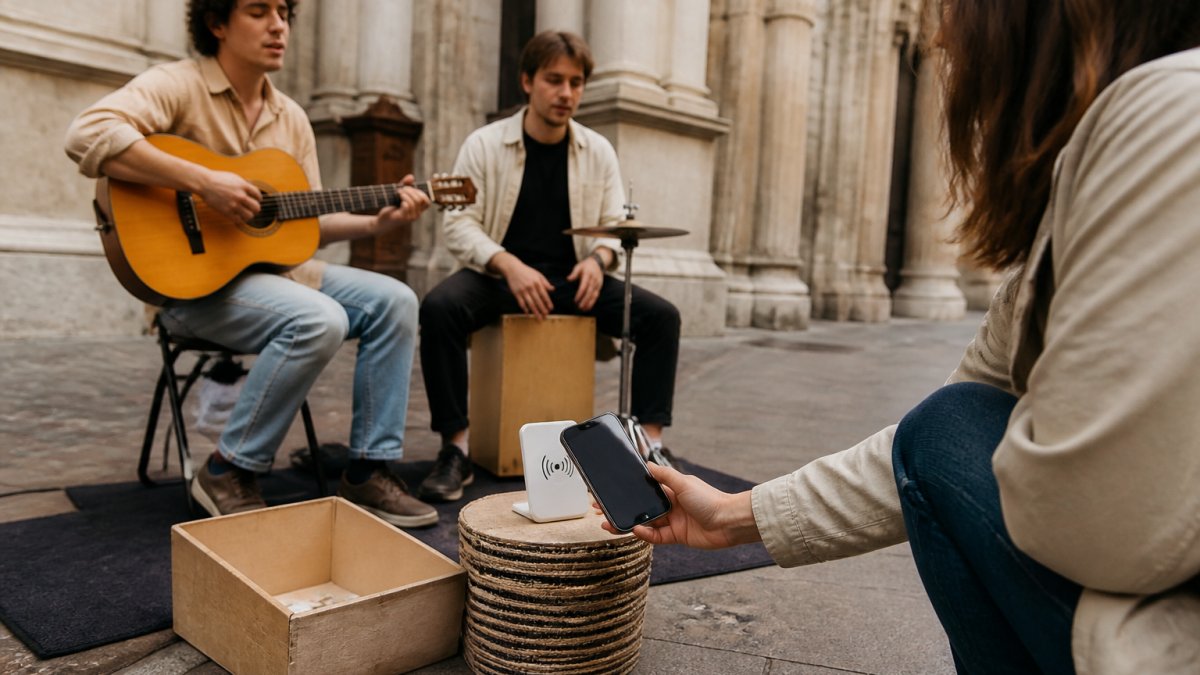
An NFC display creates a similar online journey but removes the need to aim a camera. The supporter taps the display with a compatible smartphone, and the phone opens the linked page. The NFC tag itself is not a card reader and does not process the payment.
A conventional card terminal is different. It contains payment hardware and allows a supporter to tap a card or digital wallet directly against the reader. Terminals may suit some performers, but they introduce hardware, charging, connectivity and provider requirements.
Payment apps can work well when supporters already know an artist’s handle. For a passing audience, however, asking someone to open an app and search for the correct account adds extra steps and creates more room for confusion.
The practical details that matter
Fees. Check both the platform fee and the payment provider’s processing fee. A percentage that sounds small can feel different on a $2 tip than it does on a larger payment.
Payouts. Settlement timing varies between payment providers and artist accounts. Verification, reserves, disputes and weekends may affect when money reaches the nominated bank account.
Connectivity. A QR code or NFC tag can still be physically scanned or read without mobile data, but the linked checkout and online payment need a working internet connection. Do not describe an NFC web-link product as an offline payment system.
Chargebacks and reversals. Card payments can sometimes be disputed, reversed or delayed. The rules of the connected payment provider apply.
Trust. Supporters should be able to see whom they are supporting, understand the amount before confirming and recognise the payment method presented by their phone.
Testing. Always test the complete journey using a compatible phone and a small real payment. Confirm that the QR code and NFC link open the correct artist’s checkout, the payment succeeds and the artist sees the transaction in the expected account.
Matching the method to the performance
A busy pitch needs a support option that can be understood at a glance. An NFC tap-to-open display can be useful here because the action is physical and direct, while a QR code gives supporters a familiar alternative.
At a quieter pitch, a clear QR poster may be all that is needed. At an event where the performer is already selling physical merchandise, a conventional payment terminal may also make sense.
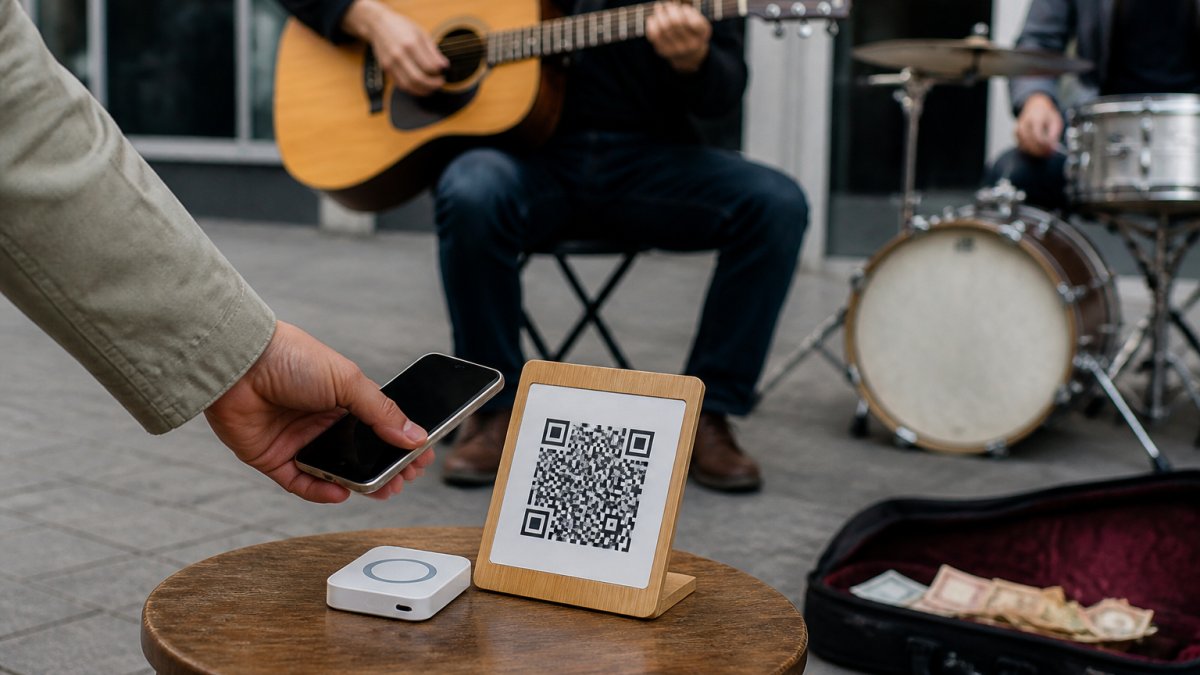
There is no rule that says an artist must choose only one method. A tap-and-scan setup gives people two ways to reach the same support journey without cluttering the pitch with competing accounts and instructions.
How My Fedora and Halo Pulse Work
My Fedora gives street artists a free profile and a free personalised support QR code. The artist connects their own supported payment provider, and supporters use the artist’s checkout to choose an amount and complete the payment.
Payment options depend on the supporter’s device, country and the artist’s connected provider. Where available, this can include familiar mobile-wallet options such as Apple Pay or Google Pay.
My Fedora does not pool artists’ support money in a central merchant account. The connected payment provider processes the support payment through the artist’s account and pays out to the bank account nominated by that artist.
Halo Pulse turns the same support link into a purpose-built tap-and-scan display for the street. A supporter taps Halo Pulse with a compatible smartphone, the artist’s support checkout opens, and the supporter chooses how much to give. Halo Pulse is tap-to-support technology, not a contactless card terminal: cards are not tapped against the Pulse itself.
There is no artist subscription. My Fedora receives a 2% platform fee when an artist receives support, and the connected payment provider’s standard processing fees also apply. Full details are available in My Fedora’s Payments, Fees & Refunds policy.
How to Set Up Digital Tips for Busking
Creating a support page and QR code can take only a few minutes. Payment-provider verification may take longer, so complete the setup before the day of an important performance.
What You’ll Need
- A phone, tablet or computer for account setup
- An email address and the details required by your chosen payment provider
- A bank account eligible for payouts from that provider
- A printed or displayed QR code, an NFC tap-to-open display, or both
- Mobile internet access for supporters opening and completing the checkout
Step 1: Create a Support Page
Choose a platform that gives each artist a clear, permanent support destination. Avoid sending supporters to a crowded link page where they must work out which button to press.
Artists can create a free My Fedora profile and download a free QR code. The artist profile provides a public home for their biography, work, social links and upcoming appearances, while the support QR leads into the artist’s support journey.
Step 2: Connect and Verify Your Payment Provider
Complete the provider’s onboarding process and ensure the correct bank account is nominated for payouts. Requirements and available providers vary by country.
Do not assume that creating a profile alone enables payments. The payment provider must be connected and any required identity or business verification must be completed.
Step 3: Set Up Your QR Code or NFC Display
Download the QR code supplied for your support link and place it on a clean, high-contrast display. Avoid resizing it so aggressively that it becomes difficult to scan.
If you use an NFC display, program it with the artist’s stable support link rather than a URL that may change when a display name or username is edited. Keep a QR code alongside it so supporters can choose whichever action feels most natural.
Step 4: Test the Complete Support Journey
Test the QR code and NFC tap separately. Do not stop after confirming that a page opens.
Check that:
- The correct artist’s support checkout appears.
- The artist’s name and available support amounts are correct.
- A supporter can complete a small real payment.
- The transaction appears against the correct connected provider account.
- Any confirmation or receipt behaves as expected.
Repeat the test after changing a payment connection, QR destination or NFC link.
Step 5: Make It Easy to See and Reach
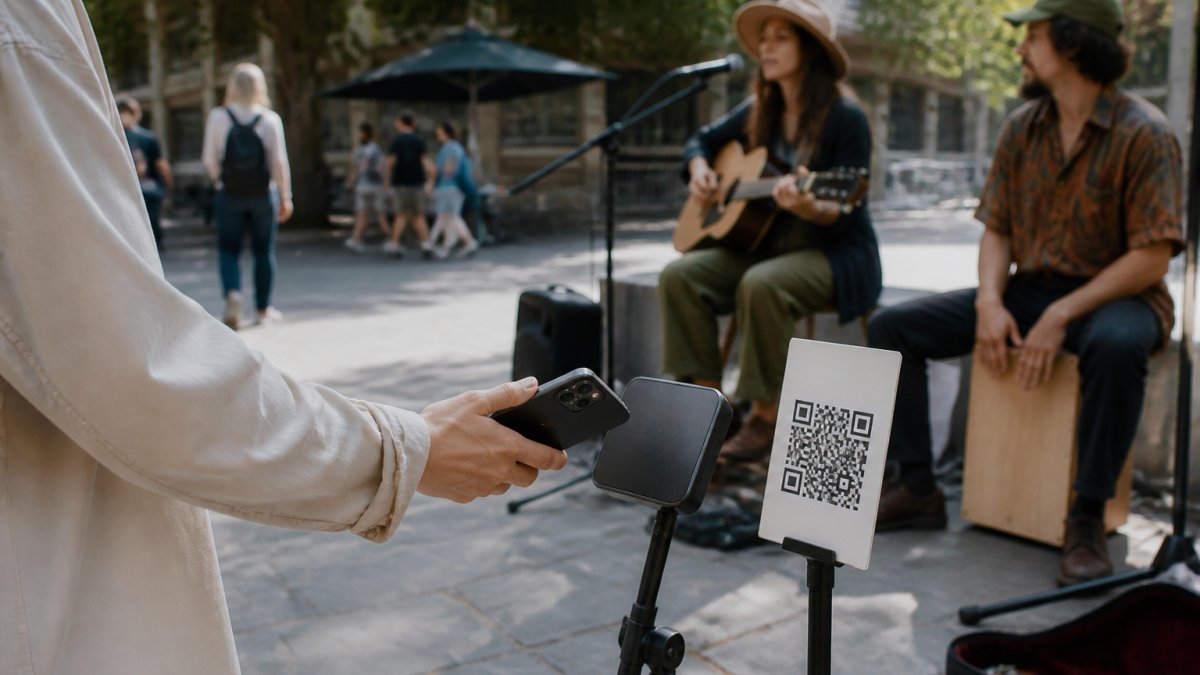
Place the display where someone can comfortably reach it with a phone without stepping into the performance area or crouching beside an instrument case. A small stand at natural phone height is usually easier to notice and use than a code lying flat on the ground.
Use one short instruction, such as “Tap or scan to support”, and make the artist’s name clearly visible. The complete action should make sense within a couple of seconds.
How to Encourage More Tips Without Changing Your Set
Digital tipping works best when it supports the performance rather than competing with it. A few practical decisions can make the invitation clearer:
Offer tap and scan together. NFC is immediate for compatible phones, while QR gives everyone a visible alternative.
Use sensible preset amounts. A few clear choices reduce typing, while a custom amount allows supporters to choose something different.
Keep the wording human. “Support [Artist]” is clearer and warmer than a paragraph explaining the technology.
Mention it naturally. A brief line between songs—“If you’d like to support what I do, you can tap or scan the display”—is enough. It should feel like an invitation, not an interruption.
Explain what support makes possible. When appropriate, an artist might mention recording, strings, equipment, travel or the next release. Keep it truthful and specific.
Check the display during the day. Make sure it has not fallen over, become hidden by the crowd or moved into glare that makes the QR code difficult to scan.
Do not promise a particular result. No device or sign guarantees more tips. The purpose is to ensure that people who already want to support the artist have a clear way to do it.
Legal and Tax Considerations for Street Performers
Digital payments create a useful transaction record, but they do not remove an artist’s responsibility to understand local permit, reporting and tax requirements.
Busking permits and local rules
Councils and venue operators may regulate where and when a performer can busk, the equipment they can use, acceptable sound levels and how signs or displays may be positioned. Check the relevant council or venue rules before performing.
Keep accessways clear and position any stand so it does not create a trip hazard or obstruct pedestrians.
Australian tax considerations
For performers in Australia, the tax treatment of money received and expenses claimed depends on the artist’s circumstances, including whether the activity is a hobby or a business. There is no single factor that decides this. The ATO considers matters such as profit-making intention, repetition, scale and whether the activity is carried on in a businesslike way.
The Australian Taxation Office provides guidance on working out whether you are in business, while business.gov.au explains the difference between a business and a hobby.
If an artist is carrying on a business, income and legitimate business expenses generally need to be considered when preparing tax records. Do not assume that calling a payment a “tip” or “support payment” automatically determines its tax treatment.
GST is a separate question. Most Australian businesses and enterprises must register when their GST turnover reaches the applicable threshold—currently A$75,000 for most businesses—but the calculation and treatment of individual payments can depend on the facts. See the ATO’s current GST registration guidance or speak with a registered tax agent.
This is general information, not personal tax or legal advice. Artists outside Australia should check the rules of their own country and local authority.
Keep useful records
A simple record-keeping routine can make tax time and payment enquiries easier:
- Export statements from each connected payment provider regularly.
- Record cash received from performances using a consistent method.
- Retain receipts and invoices for genuine performance-related expenses.
- Keep notes explaining unusual payments, refunds or disputes.
- Reconcile deposits against provider statements before lodging tax information.
The ATO publishes current record-keeping guidance for businesses. A registered tax agent can advise what applies to a particular performer.
Turn a Passing Moment Into a Lasting Connection
A tip matters, but the person behind it may also become a listener, follower, customer or future audience member. That is why the destination behind a QR code or NFC tap matters as much as the physical display.
My Fedora gives artists a public profile where supporters can discover their story, music, social links, gallery and upcoming appearances. The support interaction can become an introduction to the artist rather than an isolated transaction.
For the artist, a stable My Fedora support link also means the printed QR code or programmed Halo Pulse does not need to be replaced simply because the artist later edits their public display name.
The goal is not to turn every passerby into a transaction. It is to make support effortless when a genuine connection has already happened.
Conclusion
The best way to collect artist tips in a cashless world is to remove uncertainty. Supporters should immediately understand whom they are supporting, what action to take and what amount they are approving.
A QR code provides a simple starting point. An NFC tap-to-open display makes the physical interaction faster and more visible. A strong artist profile gives supporters somewhere meaningful to continue after the performance.
Create your free My Fedora profile and download your free QR code, or explore the Halo Pulse Complete Starter Kit for a ready-to-display tap-and-scan setup.
Frequently Asked Questions
What are the best digital payment methods for buskers?
The best options depend on your setup. QR code payments work well because fans scan with their own phone, no extra hardware needed. Tap-to-pay devices like the Halo Pulse let supporters tap a card or phone directly, which suits high-traffic spots. Mobile apps from major providers also work but often charge subscription fees. For most performers, a mix of QR codes and tap-to-pay covers the widest range of tipping preferences.
How do I set up a QR code for artist tips?
Create a payment link through your chosen platform, then generate a QR code that points to that link. Print it on a weatherproof sign and display it where fans can see it during your set. Test the code yourself before each gig to confirm it still works. A dedicated artist profile page, like the one My Fedora provides, keeps your tip link, socials, and gig dates in one place so the QR code never needs to change.
Is it legal to use digital payment platforms for street performances?
Accepting digital tips is generally permissible for buskers. You may need a local council permit to perform in public spaces, and some councils have specific rules about signage or equipment. Check with your local council before your first gig. Digital payments are generally treated the same as cash tips for tax purposes, so keep records of what you receive.
How can I encourage more audience tips during a live set?
Mention your payment method early and casually, not as a plea. A simple line like 'If you enjoyed that, you can tap the sign or scan the code' works better than silence. Place your QR code or tap device at eye level, not on the ground. Thank tippers briefly between songs. Performers who make tipping easy and visible consistently see more support than those who leave it to chance.