 blog
blog
QR Code Payments for Independent Artists: A Practical 2026 Guide
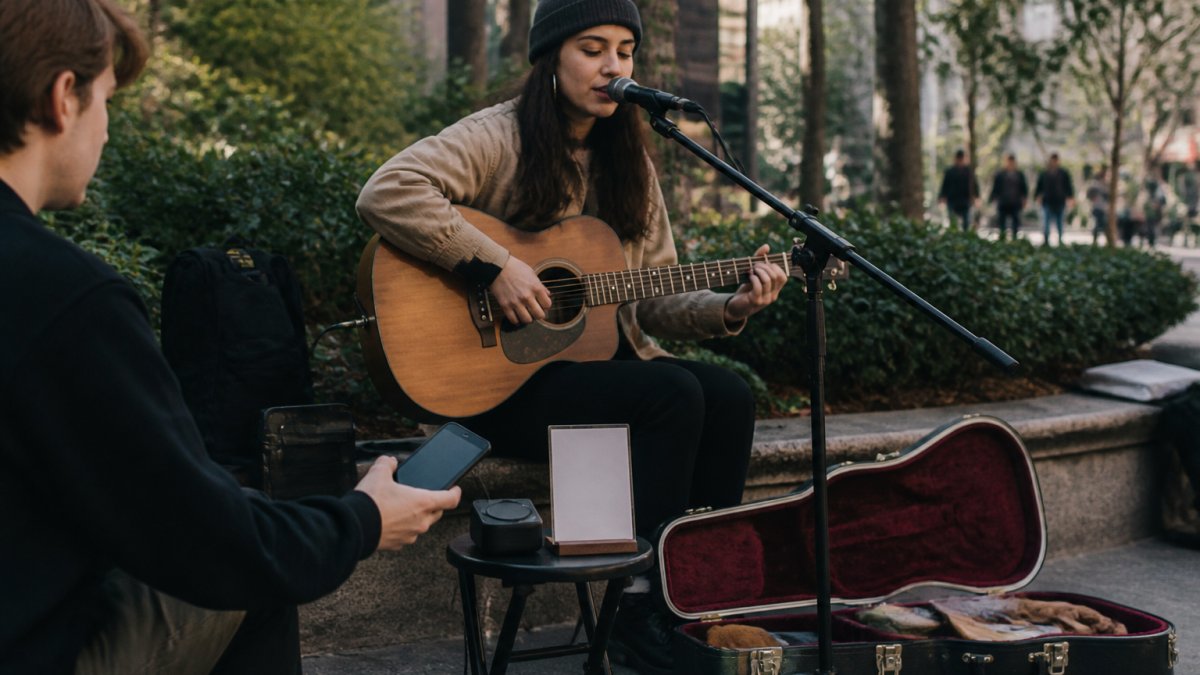
Cash is no longer the only way an audience can support a street performer. QR codes, passive NFC tags and contactless card readers can all create a cashless payment experience—but they do not work in the same way.
For independent artists, the scan or tap is only the beginning. The experience after it matters just as much: how quickly the payment page opens, which payment methods are available, what fees apply, where the money goes and whether the supporter can remain connected with the artist afterwards.
This guide explains how QR code payments for independent artists work in 2026, how they compare with NFC and card readers, and what buskers should check before relying on a digital support setup in public.
How QR Code Payments Work for Independent Artists
A QR code used for artist support normally contains a web address. When a supporter scans it with a phone camera, the code opens a payment or artist-support page. The QR code itself does not hold money, process a card or identify a bank account; it simply directs the phone to an online destination.
From there, a payment provider handles the transaction. Depending on the provider, the supporter may be able to use a credit or debit card, Apple Pay, Google Pay or another locally available payment method.
The quality of the destination matters. A good support page should load quickly, display the artist’s identity clearly, make the amount easy to choose and explain who processes the payment before the supporter continues.
From Fan Scan to Artist Payout
A typical web-based support payment has four stages:
- Open: The supporter scans a QR code or taps a passive NFC tag and the artist’s page opens.
- Choose: The supporter selects an amount and reviews the total.
- Pay: A connected payment provider securely authorises and processes the selected payment method.
- Payout: The provider pays the artist according to the artist’s account, country and payout schedule.
Payment confirmation can be nearly immediate, but that is not the same as bank settlement. Payout timing varies between providers and accounts, and a first payout can take longer while verification and risk checks are completed. Artists should check the provider’s current payout terms rather than assuming every payment will reach their bank the next day.
QR Codes, Passive NFC and Card Readers: What Is the Difference?
The word NFC is often used too broadly. A passive NFC tag that opens a web page is not the same product as a powered reader that accepts a contactless card payment.
Method | What the supporter does | Power required at the display | Internet needed | Best suited to |
|---|---|---|---|---|
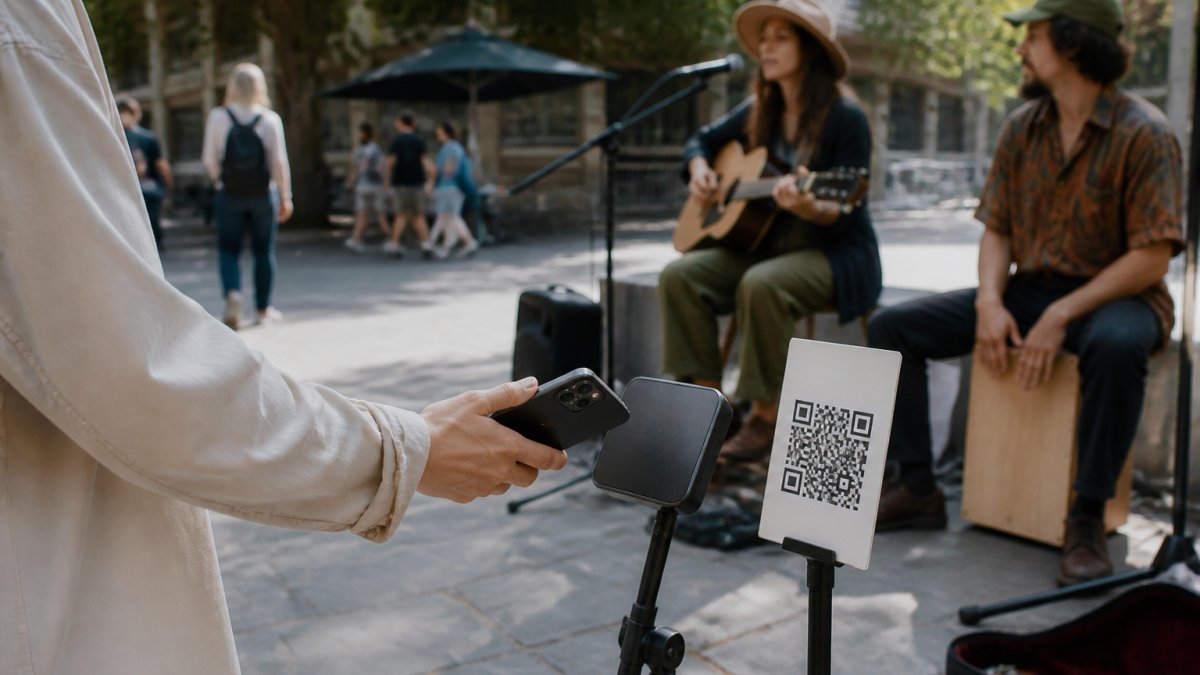
QR code | Scans with a phone camera | No | Yes, to open and complete an online payment | Low-cost signs and broad phone compatibility |
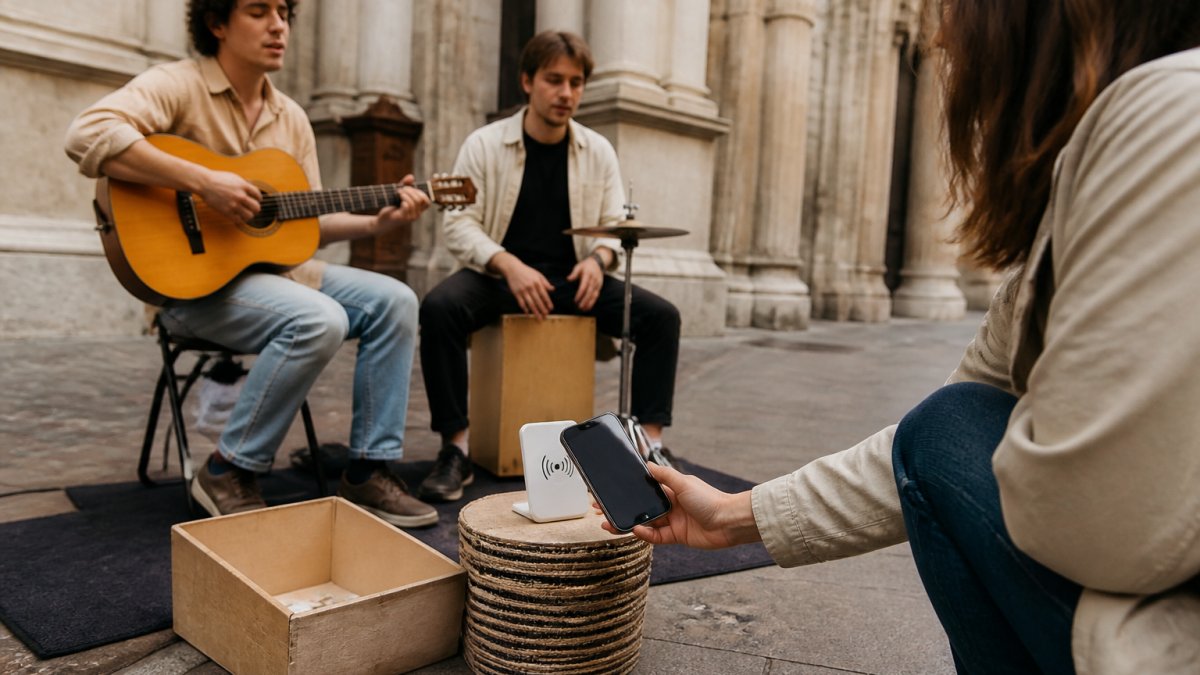
Passive NFC tag | Taps a compatible phone to open a link | No | Yes, to open and complete an online payment | Faster access to the same web support page |
Contactless card reader or Tap to Pay | Taps a card or mobile wallet to a reader or merchant phone | Usually yes | Usually; limited offline modes may be available | Direct in-person card acceptance |
QR and passive NFC work well together because they can lead to the same destination. NFC makes the interaction faster for compatible phones, while the printed QR code remains visible and accessible as a fallback.
A powered card reader is a different setup. It can accept a card or mobile wallet directly, but it introduces another device or merchant phone to charge, carry, configure and protect.
Does NFC Work Offline?
A passive NFC tag needs no battery and can still be read when the display itself has no power. However, if that tag opens an online support page, the supporter still needs a usable internet connection to load the page and complete the payment.
Some powered card terminals support offline payments, but availability, limits and risk vary by provider, device and payment type. Offline transactions may be stored temporarily and submitted once the merchant reconnects; they can still be declined later, and the seller may carry that risk. Square, for example, publishes specific Australian guidance for processing offline payments.
For a street performer, the practical checks are:
- Test mobile reception at the pitch before starting.
- Keep both QR and NFC available so supporters have two ways to open the page.
- Use a short, fast-loading checkout designed for mobile screens.
- If relying on a card reader’s offline mode, understand its limits and reconnection deadline first.
Contactless Support Options for Buskers
The right setup depends on how and where an artist performs.
QR code only
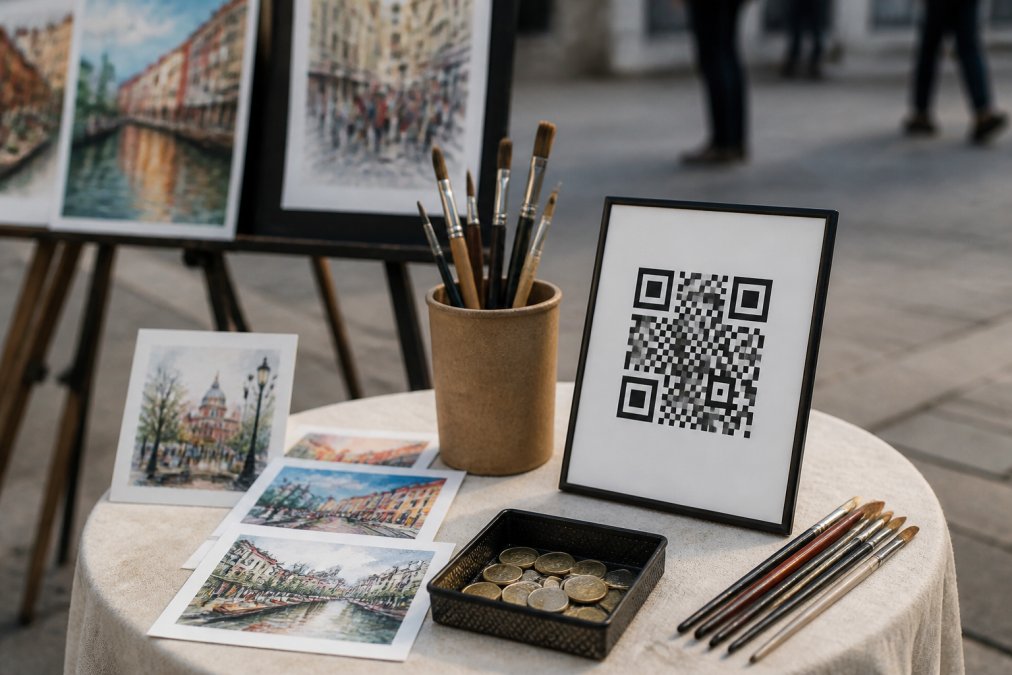
This is the lowest-cost starting point. A printed QR code requires no battery and can be placed on a sign, music case, merchandise table or poster. Its weakness is that the supporter must notice it, frame it with a camera and wait for the online page to load.
QR code plus passive NFC
This keeps the QR fallback while adding a faster tap-to-open action. It is well suited to a compact street display because the artist does not need to operate a terminal or interrupt the performance.
Contactless card reader
A reader can be useful when an artist wants to accept cards directly, particularly for higher-volume pitches or merchandise sales. The trade-off is extra hardware, power requirements and a more conventional merchant checkout experience.
For many buskers, QR plus passive NFC is the best balance: visible, portable, battery-free at the point of interaction and connected to a richer artist page rather than a payment terminal alone.
How to Set Up a Digital Support Page
A dependable digital support setup can be created in six steps:
- Choose a platform and payment provider. Confirm that both support the artist’s country, currency and preferred payout account.
- Complete identity and payout verification. Do this before printing or programming anything.
- Build the artist page. Use a recognisable name, image and short description so supporters immediately know they are in the right place.
- Create a permanent support link. Avoid links that will break if the artist later changes a display name or profile details.
- Generate the QR code and program the NFC tag. Both should open the same support destination.
- Test the entire journey. Use more than one phone where possible and complete a small real or test-mode transaction before performing.
Do not test only whether the page opens. Confirm the amount, currency, payment provider, success screen and payout record as well.
Turn a One-Off Tip Into a Lasting Connection
A plain payment link ends when the transaction finishes. An artist platform can do more.
The support experience can also introduce the artist’s story, music, social links, upcoming appearances and street shop. Someone who has just chosen to provide support is already engaged; giving that person a clear way to follow the artist can turn a passing street encounter into a longer relationship.
That is the principle behind My Fedora: the payment is part of the connection, not the end of it.
Transaction Fees and Payout Timing
Payment providers commonly charge a percentage, a fixed amount, or a combination of both. Rates can vary according to country, card origin, payment method and currency. On a small payment, a fixed component can have a noticeable effect: 30 cents represents 6% of a $5 payment before any percentage-based charge is added.
When comparing providers, check:
- the percentage and fixed fee for online payments;
- whether international cards or currency conversion cost extra;
- the standard payout schedule and any instant-payout fee;
- refund, dispute and chargeback costs;
- whether a subscription, terminal or platform fee also applies; and
- whether payments are processed in the artist’s own connected account.
Published rates change, so use the provider’s current pricing page—for example, Stripe Australia or Square Australia—rather than relying on an old comparison table.
How My Fedora’s 0% Artist-Support Fee Works
My Fedora deducts 0% from the amount a supporter selects for an artist.
Before checkout, the supporter can optionally choose Maximise my support. This voluntarily increases the total by an estimate of the provider’s standard processing cost and an amount equal to 2% of the original artist-support amount to help keep My Fedora running and free for artists.
The option is clearly disclosed and unchecked by default.
- If the supporter declines it, My Fedora receives nothing and the payment provider deducts its ordinary processing fee from the artist’s connected account.
- If the supporter accepts it, the additional amount helps the artist retain the selected support amount, while the disclosed 2% contribution helps operate My Fedora.
The processing component is an estimate, so the artist’s exact net amount can still vary with the card, payment method or currency used. Street-shop purchases are sales and may have separate artist-disclosed platform terms.
Australian Card-Surcharge Rules Are Changing
This section is date-sensitive.
Until 30 September 2026, Australian businesses that impose a card-payment surcharge must follow the existing rules, including the requirement that it not exceed the cost of accepting that payment type.
From 1 October 2026, Visa, Mastercard, American Express and eftpos are introducing no-surcharge rules for prepaid, debit and credit card payments. Businesses should not attempt to relabel a payment-method surcharge as another kind of fee. The ACCC’s current card-surcharge guidance explains both the transition and the price-display obligations.
These changes concern charges imposed because a customer uses a particular card. My Fedora does not add a mandatory card surcharge. Its optional contribution can be declined, is not triggered by the card selected and is shown before checkout.
Rules and provider terms can change. Artists selling merchandise or adding their own payment fees should check current ACCC and provider guidance rather than copying a generic percentage from another seller.
ABNs, GST and Record Keeping in Australia
Earning money from art does not automatically mean every artist needs an ABN. The first question is whether the activity is a hobby or a business. The ATO considers factors such as commercial purpose, repetition, scale, record keeping and whether the activity is conducted in a business-like way. Its current “Are you in business?” guidance is the appropriate starting point.
An activity that remains a hobby is not entitled to an ABN merely because it occasionally receives money. An artist operating a business may be entitled to an ABN and will have corresponding tax and record-keeping obligations.
GST registration is generally compulsory once an Australian business or enterprise reaches A$75,000 in GST turnover, although the treatment of particular receipts depends on the circumstances. See the ATO’s current GST registration guidance.
Support payments should not automatically be assumed to be tax-free or tax-deductible. Artists should retain provider statements, record dates and amounts, distinguish support from merchandise sales and seek professional advice where their position is unclear.
This is general information, not tax or legal advice.
Security and Fraud Prevention
A QR code is only as trustworthy as the destination it opens. Before using any system, confirm that:
- the page uses HTTPS and the domain is correct;
- a reputable payment provider handles card entry;
- the artist does not need to collect or store complete card details;
- the supporter can see the artist, amount, currency and final total before paying; and
- the platform provides a clear transaction record and dispute process.
Tokenisation replaces sensitive payment credentials with a limited-use token, reducing the need for platforms and artists to handle raw card data. Hosted or provider-controlled payment components can also reduce PCI-compliance exposure, although every business still needs to follow the requirements that apply to its own integration.
Artists should never ask supporters to send card numbers through messages or write them down. They should also monitor their payment account, use multi-factor authentication and keep evidence for merchandise transactions in case of a dispute.
Cross-Border Payments for Touring Artists
A QR code containing a normal web link is not inherently domestic; it can open anywhere the supporter can access the website. The more important restriction is whether the payment provider can onboard the artist and process the transaction in the relevant country.
Before touring or relocating, check:
- whether the artist’s connected account remains eligible in that country;
- the transaction currency shown to supporters;
- international-card and currency-conversion fees;
- which local wallets or payment methods are available;
- where payouts can be sent; and
- whether changing country requires a new provider account.
A traveller’s card issuer may perform the currency conversion, or conversion may occur within the payment flow. The supporter should be shown the transaction currency clearly before authorising payment.
A Hardware-Free Setup—or a Better Physical Doorway
A printed QR code is the simplest hardware-free option. It needs no charging, can be replaced cheaply and gives any compatible phone a direct path to the artist’s support page.
Halo Pulse adds a more deliberate physical interaction without becoming a card terminal. It uses a passive NFC tap point to open the artist’s My Fedora support page, with a QR code available alongside it. The display itself does not process or store payment credentials, and the artist does not need to stop performing to operate it.
From that page, supporters can choose an amount and continue through the artist’s connected payment provider. They can also discover the artist’s profile, music, social links, appearances and street shop in one place.
Frequently Asked Questions
Does Australia have a QR code payment system?
Yes. QR code payments are widely used across Australia through mobile wallets and bank apps. For independent artists, QR codes link fans to a secure payment page where they can tip or buy merchandise using their preferred method. The system works alongside contactless cards and NFC taps, so you can accept support whether a fan has cash, a card, or just their phone.
Are QR code payments secure for independent artists?
Reputable providers use security encryption and tokenisation so card details never touch your device or the platform's servers. Payments are processed through regulated payment gateways that comply with Australian financial compliance standards. Look for a provider that offers real-time settlement and clear fraud prevention measures. Never use a service that asks you to store customer card numbers manually.
Do I need an ABN to use QR payment solutions for my art?
If you are earning income as an independent artist, you generally need an Australian Business Number (ABN) for tax and invoicing purposes. Most payment platforms will ask for your ABN when you set up a merchant account. Some platforms allow you to start without one, but you may face higher withholding tax. Check with the Australian Taxation Office or a tax professional for your specific situation.
How can I display a QR code for donations at a live performance?
Print your QR code on a durable sign, sticker, or business card and place it where fans naturally pause, such as on your instrument case or a small stand. Include a short call to action like 'Tap to tip or scan to support'. If you use NFC, a tap-to-pay device can sit next to the QR code for fans who prefer contactless. Test both methods before each gig to ensure they work.