 how-to
How to Accept Digital Tips Without Subscription Fees
Updated 4 October 2026
You can accept digital tips without paying a monthly subscription. The key is choosing a setup with no recurring platform charge, then checking the costs that still apply when someone supports you.
For buskers, that distinction matters. A monthly bill continues through quiet weeks, bad weather and breaks between gigs. A pay-as-you-go setup can keep fixed costs down, although payment processing, optional hardware and other services may still cost money.
This guide explains how to compare those costs and set up a straightforward way for people to support your performance.
What does “without subscription fees” actually mean?
A subscription is a recurring charge for access to a product or service. Avoiding that charge does not automatically make every transaction free.
Cost | What to check |
|---|---|
Monthly or annual subscription | Is there a recurring charge after a trial ends? |
Payment processing | What does the connected provider charge for each payment? |
Platform deduction | Does the tipping platform take a share of the artist-support amount? |
Hardware and printing | Are readers, NFC accessories or signs optional purchases? |
Additional services | Do currency conversion, disputes, transfers or paid features carry separate charges? |
Compare the complete setup you will use. A provider’s advertised in-person card rate may differ from its online checkout rate, even if the supporter is standing beside you.
Choose how supporters will pay
QR codes leading to an online checkout
A supporter scans your QR code, opens your checkout on their phone, chooses an amount and completes payment. This can suit a performer who wants to keep playing while people contribute.
The QR code provides the link. The online checkout and payment provider handle the payment. The supporter needs an internet connection, usually their own mobile data or available Wi-Fi.
Smartphone NFC links
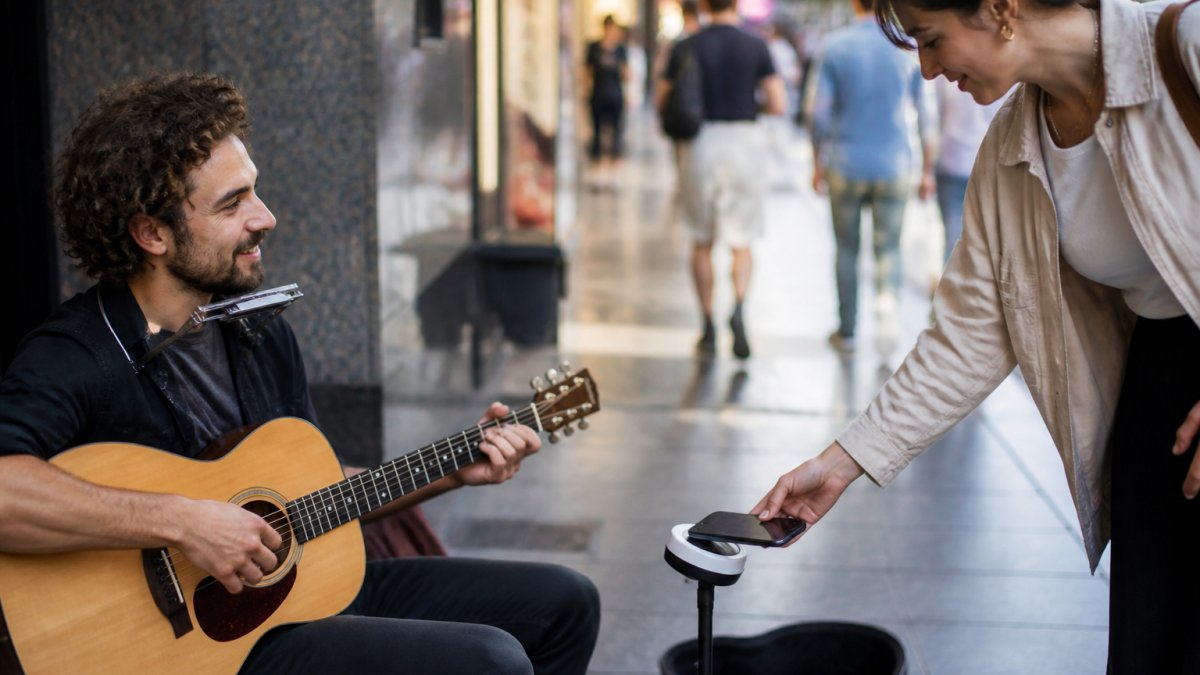
An NFC access point provides another way to open a web checkout. With a compatible smartphone, the supporter taps, follows the link prompt and completes the payment on screen.
This is how Halo Pulse fits into My Fedora. It is a smartphone NFC/QR tap-to-support access point, not a bank-card reader. Tapping a debit or credit card against it will not take a payment.
A dedicated card-acceptance setup
If you want supporters to present a bank card directly, compare compatible card readers or phone-based card-acceptance products. Check hardware costs, supported devices, connectivity requirements and the provider’s current terms.
A card terminal and an NFC link serve different payment journeys. Choose according to how you want supporters to contribute and how much equipment you want to manage.
Check the provider’s current pricing
Both Square Australia and Stripe Australia publish options for accepting payments without a monthly subscription to their basic payment service. Square’s Free plan carries processing fees; Stripe’s standard payments pricing is pay-as-you-go. Optional products and paid plans have their own terms.
Those are provider-level examples, not a promise that every connected platform or account has identical pricing. Check the fee schedule applying to your own account and the payment route you use.
Before committing, answer four questions:
- What is the online processing charge, including any fixed amount per transaction?
- Does the platform add its own deduction?
- Are there additional charges for international cards, currency conversion or other services you expect to use?
- What happens to fees if a payment is refunded or disputed?
How My Fedora’s fees and checkout work
My Fedora gives artists a way to receive support through an online checkout, with a QR code as a practical starting point. Halo Pulse adds an optional smartphone NFC route to that checkout.
My Fedora deducts 0% from the selected artist-support amount. Ordinary payment-provider fees may apply. Any additional supporter contribution is optional and unchecked; it is not required to support the artist.
That means “0% platform deduction” and “no payment-processing cost” are different claims. Always consider the connected provider’s fees when estimating what reaches your account.
Halo Pulse does not store card details, collect offline payments or queue transactions for later. The supporter’s phone must be online to load checkout and finish paying. A successful tap opens the payment journey; it is not itself a completed tip.
Set up digital tips in six steps
1. Start with the simplest useful setup
Create your artist presence and connect a supported payment provider. Complete any account verification the provider requires before promoting the checkout.
You can begin with a QR display. Decide whether an NFC accessory or a separate card-acceptance device would solve a real need after you have tried the basic flow.
2. Check the destination
Scan the exact code you will display. It should open the intended artist’s support checkout, with the correct name and payment options. Test printed copies as well as the original digital image.
3. Review the supporter’s choices
Check the available amounts, currency and final total. Read any optional contribution wording and confirm it starts unchecked. Supporters should understand what they are choosing before they pay.
4. Test the full journey
Loading the page proves only that the link works. When setting up or changing your payment connection, verify a legitimate completed payment through the provider’s transaction records. Follow the provider’s testing rules, and remember that a real payment can incur a processing fee.
5. Give one clear instruction
For a QR display, use “Scan to support.” If you also have Halo Pulse, use “Tap with your phone or scan to support.” Keep your artist name visible so people can check they have opened the right checkout. For placement and readability, see our guide to displaying QR codes at live performances.
6. Review what you actually receive
After a session, compare completed support payments with processing fees and payouts. A payout arriving later than a payment does not by itself mean the payment failed; consult your provider’s transaction and transfer records.
Compare costs using your own tip pattern
Small payments make fixed transaction charges particularly relevant. As a purely hypothetical example, a fee of 2% plus 30 cents would cost 40 cents on a $5 payment and 50 cents on a $10 payment. These are illustrative figures, not My Fedora, Stripe or Square rates.
Use your actual provider pricing and typical support amounts to estimate a month’s cost. Include a realistic quiet month as well as a busy one. If a paid plan offers lower processing rates, calculate whether the saving would exceed the subscription before upgrading.
A useful comparison is: recurring charges, plus transaction costs, plus any platform deductions and equipment costs. Treat hardware purchases separately from ongoing fees so you can see both the upfront cost and the cost of continuing to use the setup.
Start with a setup that suits your performances
You do not need to begin with a monthly software bill or a large equipment purchase. Start with a clear route to checkout, understand the provider’s fees and test the experience from a supporter’s phone.
Explore My Fedora and create your artist profile to give your audience a QR-based way to support you. Add Halo Pulse if smartphone NFC access suits your setup, with 0% deducted by My Fedora from the selected artist-support amount and ordinary payment-provider fees where applicable.
Frequently Asked Questions
Can buskers accept digital payments without subscription fees?
Yes. Options include online support checkouts and payment-provider plans without a recurring subscription. Check processing fees and any separate platform charges before signing up.
Does a free QR code mean the payment is free?
No. The code directs a phone to a destination. The platform and payment provider determine the payment costs.
Does My Fedora take a percentage from the artist-support amount?
My Fedora deducts 0% from the selected artist-support amount. Ordinary payment-provider fees may apply. Any additional supporter contribution is optional and unchecked.
Do I need Halo Pulse to start?
You can start with a My Fedora support QR code. Halo Pulse provides an optional smartphone NFC access point to the online checkout.
Can a supporter tap a bank card on Halo Pulse?
No. Halo Pulse is used with a compatible smartphone to open checkout. It is not an EFTPOS terminal or contactless bank-card reader.
Will QR or Halo Pulse support work without internet?
The supporter’s phone needs internet access to complete online checkout. Halo Pulse does not store or queue offline payments. Keep a cash option available if your performance spot has unreliable coverage.