 how-to
How to Create a Simple Digital Profile for Street Musicians
Last reviewed: 1 October 2026
Someone enjoyed your set, but now they are walking away. Can they remember your name, find your music and choose to support you later?
A simple digital profile for street musicians gives listeners one place to learn who you are and find the next step. It can start with a recognisable photo, a short introduction and a few useful links. You do not need a lengthy biography or a full catalogue of recordings before putting together a useful page.
What Should a Street Musician’s Profile Include?
Start with information a new listener can use immediately. Treat this as a content checklist, adapting it to the fields your chosen platform provides.
Element | What to include |
|---|---|
Artist name | The same name displayed at your performances |
Main photo | A clear image that helps people recognise you |
Short bio | Your general location, musical style and a little personality |
Music sample | A representative recording or performance clip, if available |
Social links | Accounts you actively maintain |
Support option | A clearly labelled route to your online checkout |
Contact route | A public professional contact method, if you want enquiries |
1. Choose a Consistent Artist Name
Use the name people see on your sign or hear during your performance. If your street sign says one thing, your profile another and your social account something unrelated, a listener may struggle to tell whether they have found the right person.
Where possible, keep your spelling and presentation consistent. If your preferred username is unavailable, choose a variation you can say aloud and print clearly.
A useful test is to ask a friend to find your page using only the name on your sign. Any confusion gives you something specific to improve.
2. Choose a Recognisable Photo
A performance photo can help a visitor recognise the musician they just watched. A clear portrait can work too. Choose an image where your face or act is easy to identify, including when the picture appears small on a phone.
Check the crop before publishing: a wide street scene may lose its subject when placed inside a small profile frame. Use your own photo or one you have permission to use. You do not need an elaborate photoshoot to begin.
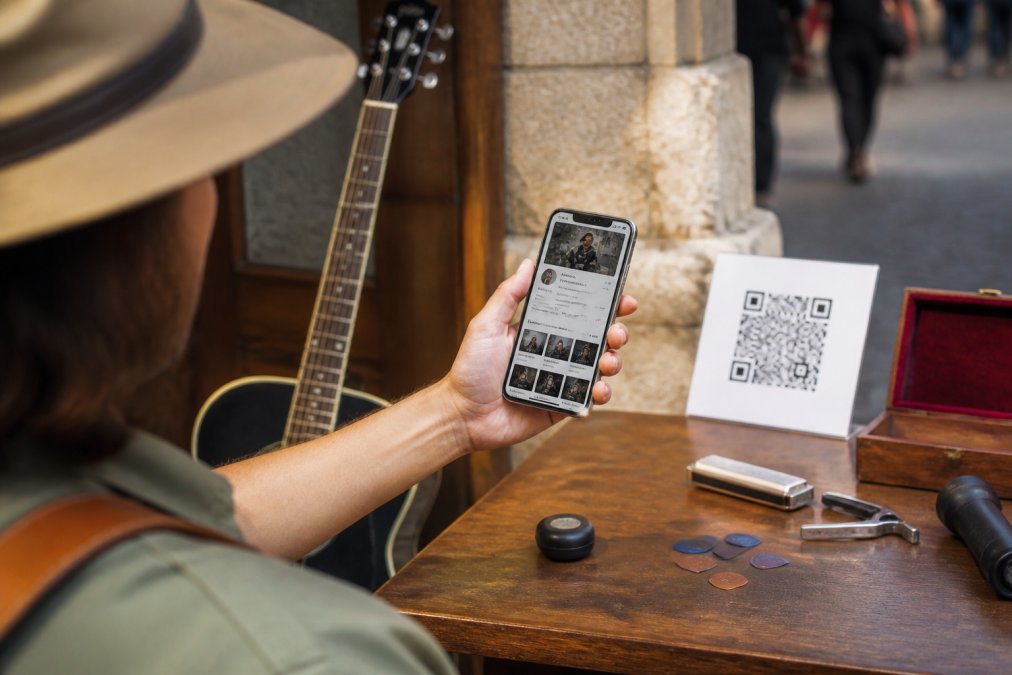
Where your platform supports image descriptions, add concise, useful alternative text. For example: “Alex playing acoustic guitar at an outdoor performance.”
W3C’s image accessibility guidance explains that text alternatives should communicate an image’s information or purpose. Describing what matters is more useful than filling the field with promotional keywords.
3. Write a Short Bio That Sounds Like You
Your opening sentences should answer three questions: who are you, what do you perform, and what would you like a visitor to explore next?
Here is a fictional example:
Alex Morgan is a Melbourne-based singer and acoustic guitarist performing folk originals and reworked favourites. Their street sets combine fingerpicked guitar with warm, stripped-back vocals. Listen to a recent performance below, follow for updates or support the next set.
Replace those details with your own. Avoid adding achievements, audience numbers or credentials you cannot substantiate. Mention recordings in development only if that is actually true.
Spotify for Artists’ guide to writing an artist bio recommends clear factual detail and warns against excessive superlatives. Describe the music and the person behind it without declaring yourself revolutionary.
One focused paragraph is a useful starting point. Expand it when you have something relevant to add; there is no universal word limit that makes a biography effective.
4. Give Visitors Clear Choices
A profile can serve several purposes, but its links should explain themselves. Useful labels include:
- Listen to my music
- Watch a live performance
- Follow on Instagram
- Support my music
- Contact me about a performance
Choose the actions that are relevant to you. A musician without released recordings might link to a live clip. Someone who does not want booking enquiries can leave out the contact option.
W3C’s writing guidance recommends meaningful link text, clear instructions and concise content. Name the destination or action instead of labelling every link “Click here”. These practices help visitors; they do not alone establish that a whole website meets an accessibility standard.
Check that each link goes to your actual account or intended page. Remove old accounts, expired events and unavailable recordings.
5. Keep Your Artist Profile and Support Checkout Distinct
Your profile and checkout have different jobs.
Destination | Main purpose | Suitable instruction |
|---|---|---|
Artist profile | Introduce you and help people explore your work | Find my music and follow |
Support checkout | Let someone choose and complete financial support | Scan to support |
A sign promising support should lead to the support checkout. A link inviting someone to explore your music should lead to the relevant profile or recording.
My Fedora’s official support QR and Halo Pulse direct supporters to the artist’s online support checkout. Display your profile address separately when you want people to explore your story and social links. Keep the instructions distinct so visitors understand each option.
What Halo Pulse Does
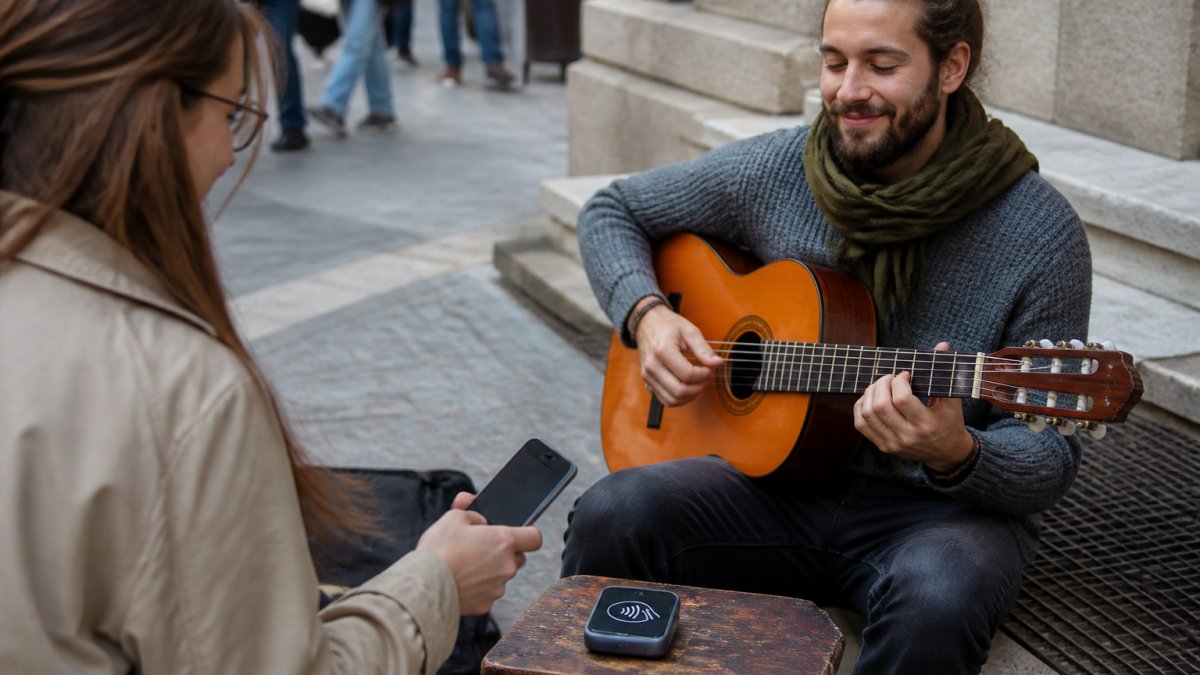
Halo Pulse is a smartphone NFC/QR tap-to-support access point. A supporter uses a compatible smartphone to tap the NFC access point or scan the QR code, then completes checkout online.
It is not a bank-card reader. Supporters do not tap their debit or credit card against it. The supporter’s phone needs internet access to open checkout and complete payment. Halo Pulse does not store card details or create, queue or settle offline transactions.
Explain Fees Clearly
My Fedora deducts 0% from the selected artist-support amount. Ordinary payment-provider fees may apply.
Any additional supporter contribution to My Fedora is optional and unchecked by default. “0% My Fedora deduction” should not be presented as “no payment fees of any kind”.
6. Test the Public Experience on a Phone
Check your page as a visitor would see it. Open the public link while signed out or in a private browser window, then confirm:
- Your name and photo identify the correct artist.
- The bio is readable on a small screen.
- Music and social links open the intended destinations.
- The support link opens your checkout.
- Nothing important is obscured or difficult to reach.
- Old event information has been removed.
For your street display, scan the actual printed QR code. Glare, damage and placement can affect scanning. Also try the support journey using mobile data: a working home Wi-Fi connection does not show whether checkout will load at your usual performance location.
7. Keep the Profile Useful as Your Music Changes
Review your page when something changes: a new recording, a different artist name, updated contact details or a social account you no longer use.
Keep your core introduction and update details that could mislead a visitor. Recheck any printed profile address or support link after changing associated account details.
A profile gives listeners a way to find you again. It does not guarantee follows, bookings or repeat support. Those remain choices your audience makes.
A Simple Profile Template
Artist name: Your performance name.
Opening line: [City or region]-based [musician or act] performing [style, instruments or repertoire].
Short bio: One or two sentences about your sound, approach or story.
Featured music: One representative recording or live performance, if available.
Social link: An account you actively maintain.
Support instruction: Support my music through my online checkout.
Optional contact: A professional contact route for relevant enquiries.
Keep the information specific and true. Remove sections you cannot keep current.
Give Listeners a Place to Find You Again
Your digital profile can begin with the essentials: a recognisable photo, an honest introduction and useful links.
My Fedora brings your artist story, work and social links together, with an online checkout for supporters who choose to contribute. Your official support QR provides a route to that checkout, while Halo Pulse offers an optional smartphone NFC/QR access point.
Explore My Fedora and create your artist profile.
Frequently Asked Questions
Do street musicians need a full website?
A simple hosted profile may be enough to introduce your act, share music and link to support. A larger website can become useful if you later need more extensive content or functions. Start with what your audience needs now.
What should a new busker put in a bio?
Include your artist name, general location, musical style and a little about your approach. You do not need awards or a long performance history. Describe what someone can expect to hear.
Can I create a profile before releasing music?
Yes. Use a representative live clip if you have one, or begin with your photo, bio and relevant links. Check your chosen platform’s publishing requirements. Do not invent releases, reviews or achievements.
Should my tipping QR code open my profile?
If the sign says “Scan to support”, the destination should match that promise. My Fedora’s official support QR opens the artist’s online support checkout. Display a separate profile address when you want people to explore your music and social links.
Does Halo Pulse work as a contactless card reader?
No. It is a smartphone NFC/QR access point that opens an online checkout. The supporter uses a compatible phone, which needs internet access. Halo Pulse does not store card details or create or queue offline transactions.
Does receiving support automatically create a follower?
No. A payment and a decision to follow or subscribe are separate actions. Give interested listeners a clear way to keep in touch, and let them choose.
What does My Fedora deduct from artist support?
My Fedora deducts 0% from the selected artist-support amount. Ordinary payment-provider fees may apply. Any additional supporter contribution to My Fedora is optional and unchecked by default.